
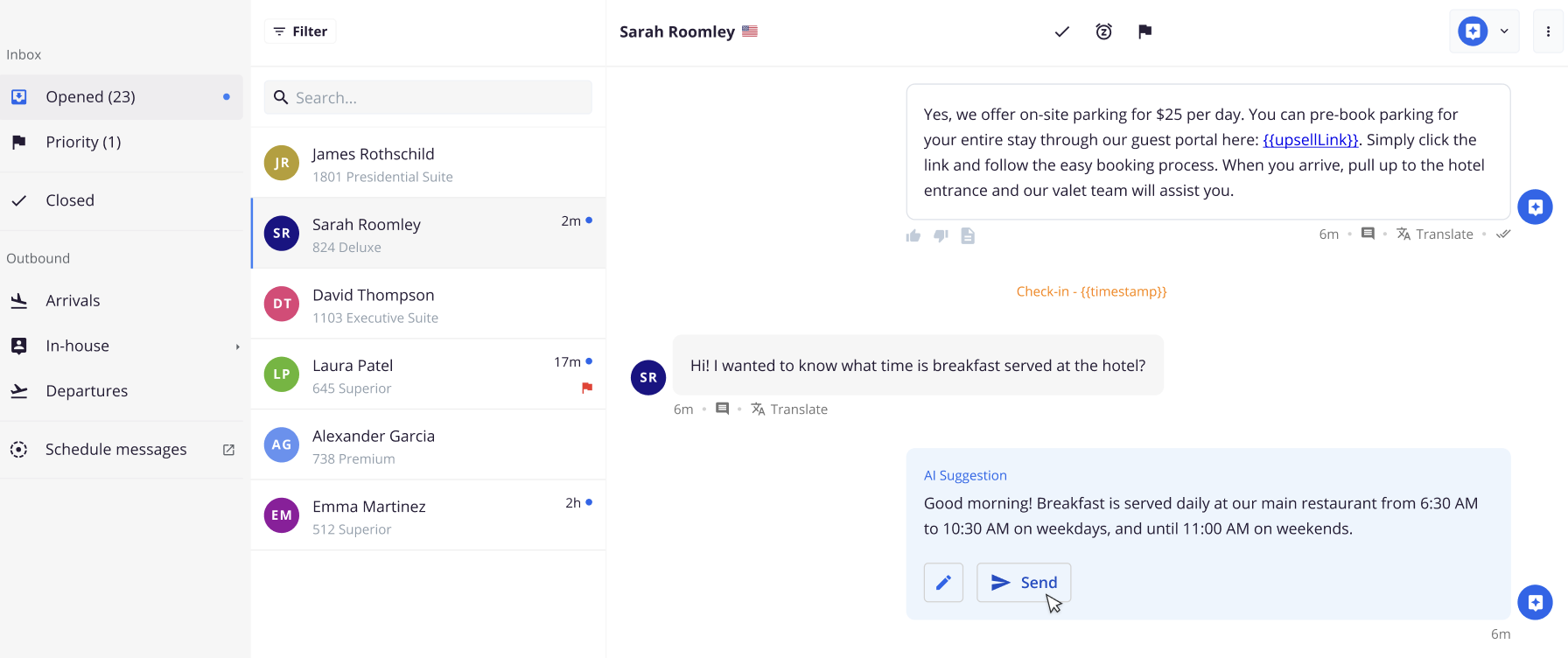
Hosts can take advantage of AI suggestions with more control. This new setup allows hosts to receive smart reply suggestions directly in the conversation, but nothing is sent to guests unless the host approves it.
DuveAI’s Suggestion Mode bridges the gap between no automation and full automation. It empowers hosts to retain full control over communication, while still leveraging the speed and quality of AI-generated responses.
This feature ensures that AI never sends a message directly to the guest. Instead, it appears as a suggestion within the conversation, giving hosts the ability to review, edit, and send at their discretion.
For more information on DuveAI, please see: DuveAI
Hotel Operations
Some hotels prefer to keep full control over guest communication. While AI can save time, the idea of automatic replies can feel risky. That hesitation has held back adoption. By starting with suggestions only, hosts can build trust in the AI before fully relying on it.
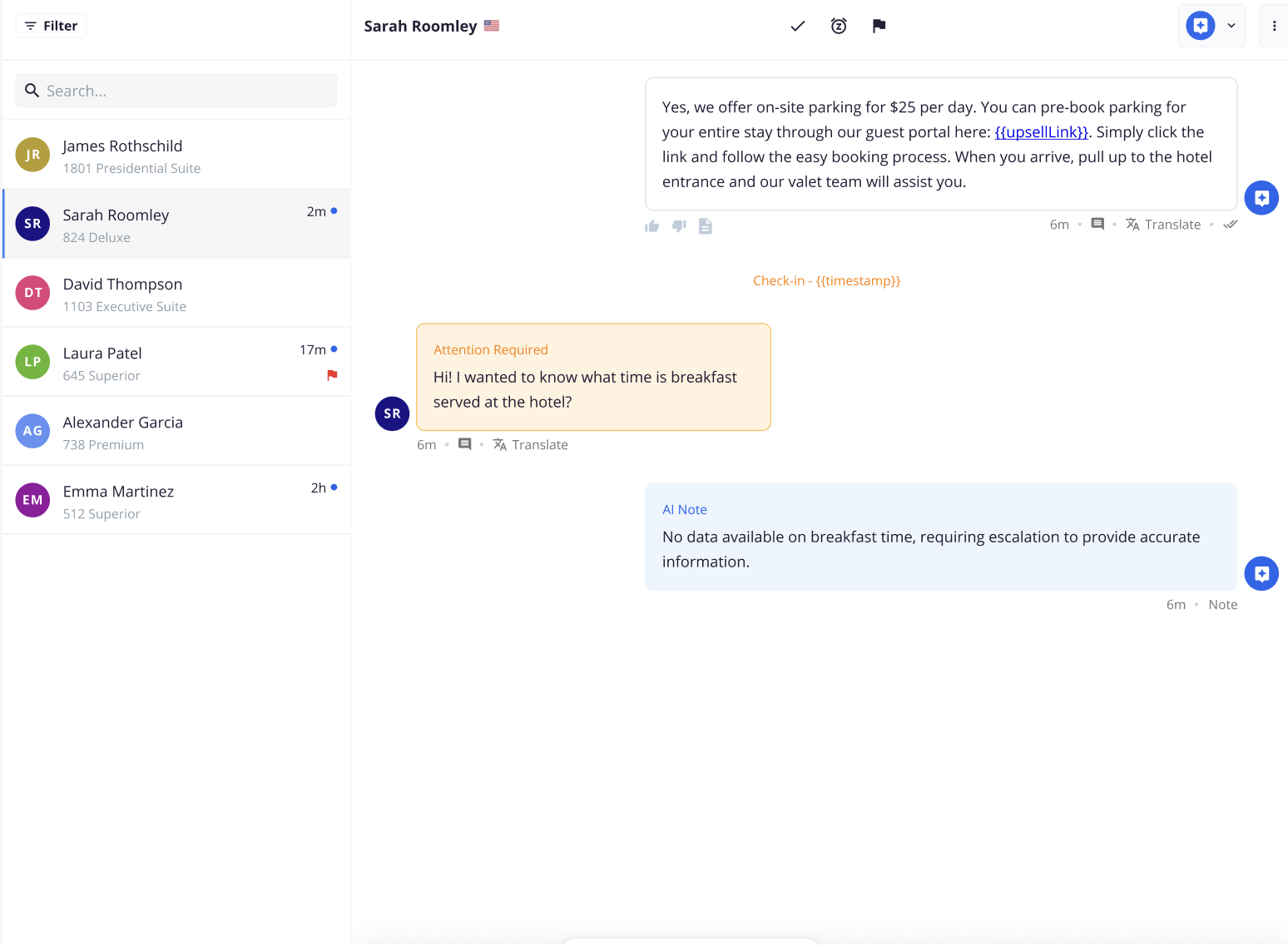
How an Escalation looks when AI can not provide an answer:
How to Set It Up
Go to Settings > DuveAI > Agents. Under SmartReply > Switch the mode to ‘Suggestion Mode’. Please note that the DuveAI setup must be done per brand.
- AI suggestions are always visible in the chat feed as notes.
- The input field remains open so hosts can type manually or edit the suggestion.
- Suggestions continue even if the conversation is reassigned to another team member.
- The AI banner/input is hidden when AI is off.
Tips for Using Suggestion Mode Effectively
Start with Suggestion to Build Trust
Use Suggestion Mode to observe AI responses over time. Understand its tone, accuracy, and relevance before switching to Auto Answer Mode.
Track Impact
Analytics - Monitor time saved per conversation and guest satisfaction. Use this data to decide if and when to shift to Auto Answer Mode.
Use cases:
- Host: Front Desk Manager at a Boutique Hotel
Scenario: “I want my team to benefit from AI-generated replies during busy check-in hours, but I still want every message reviewed before it’s sent.”
Value: The AI helps save time by drafting replies, but staff maintain the personal touch by reviewing and adjusting each one before responding.
- User: Guest Relations Lead at a 5-Star Resort
Scenario: “We never send automated messages to VIP guests, but I want to see what the AI would recommend so I can fine-tune my own replies.”
Value: The team gets inspiration and support from the AI without compromising the ultra-personal tone expected by high-end guests.
Comments
0 comments
Please sign in to leave a comment.