
In order to setup the Connection to Protel Air, please ensure that the Connect&Sync page has these transaction codes set up.
In order to be able to charge the preferred hosts cc in Duve, There must be a designated field in the connect and sync page and the item number must be filled in.
If the field doesn't exist, please submit a feature request to add it.
.png)
Transaction Codes for Connect&Sync are found in Settings>Financial Configuration>Payment Methods
Use the TAA number
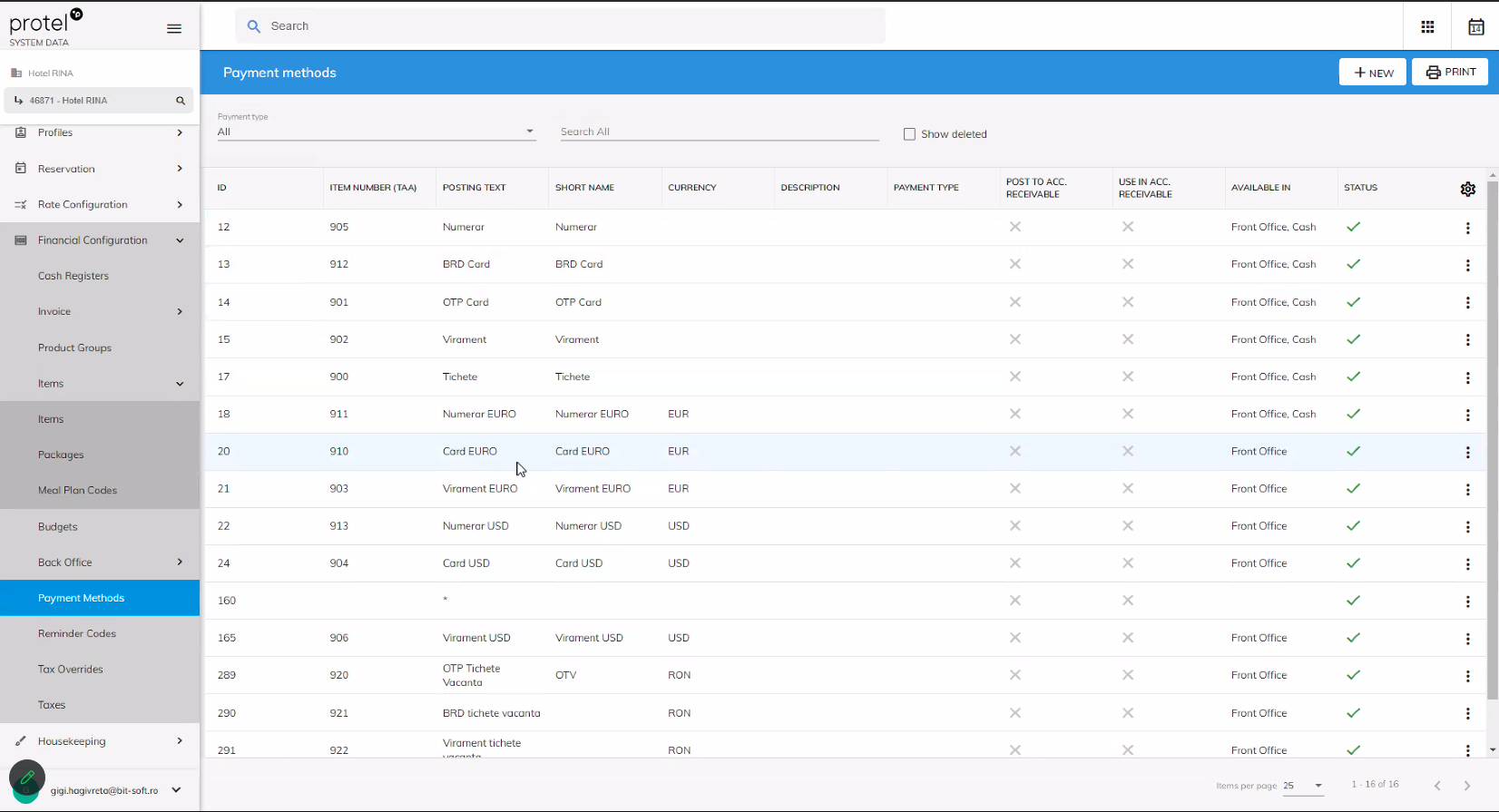
There should be a unique TAA for Visa, Mastercard, Diners, Amex etc.
If there is no unique code, use the general one which matches the currency of the Account
For ex. Card EURO
Comments
0 comments
Please sign in to leave a comment.