


Overview
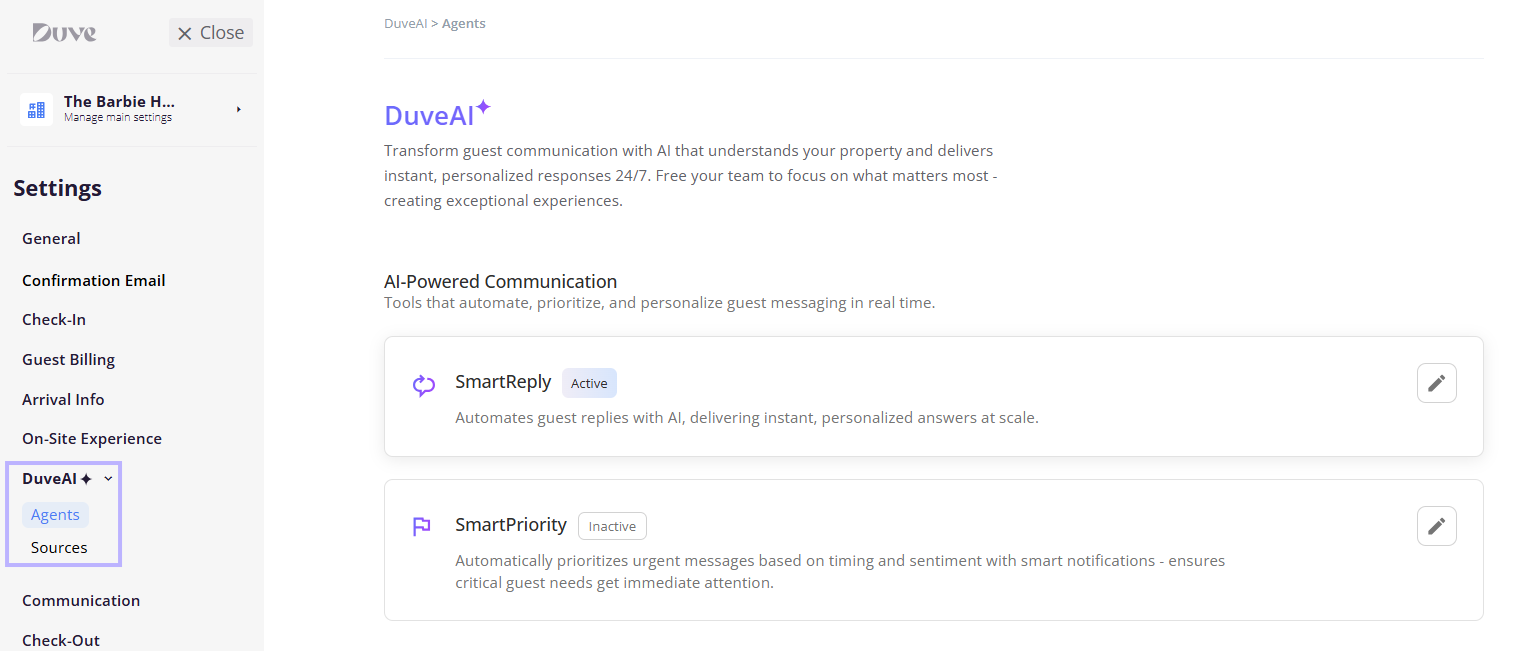
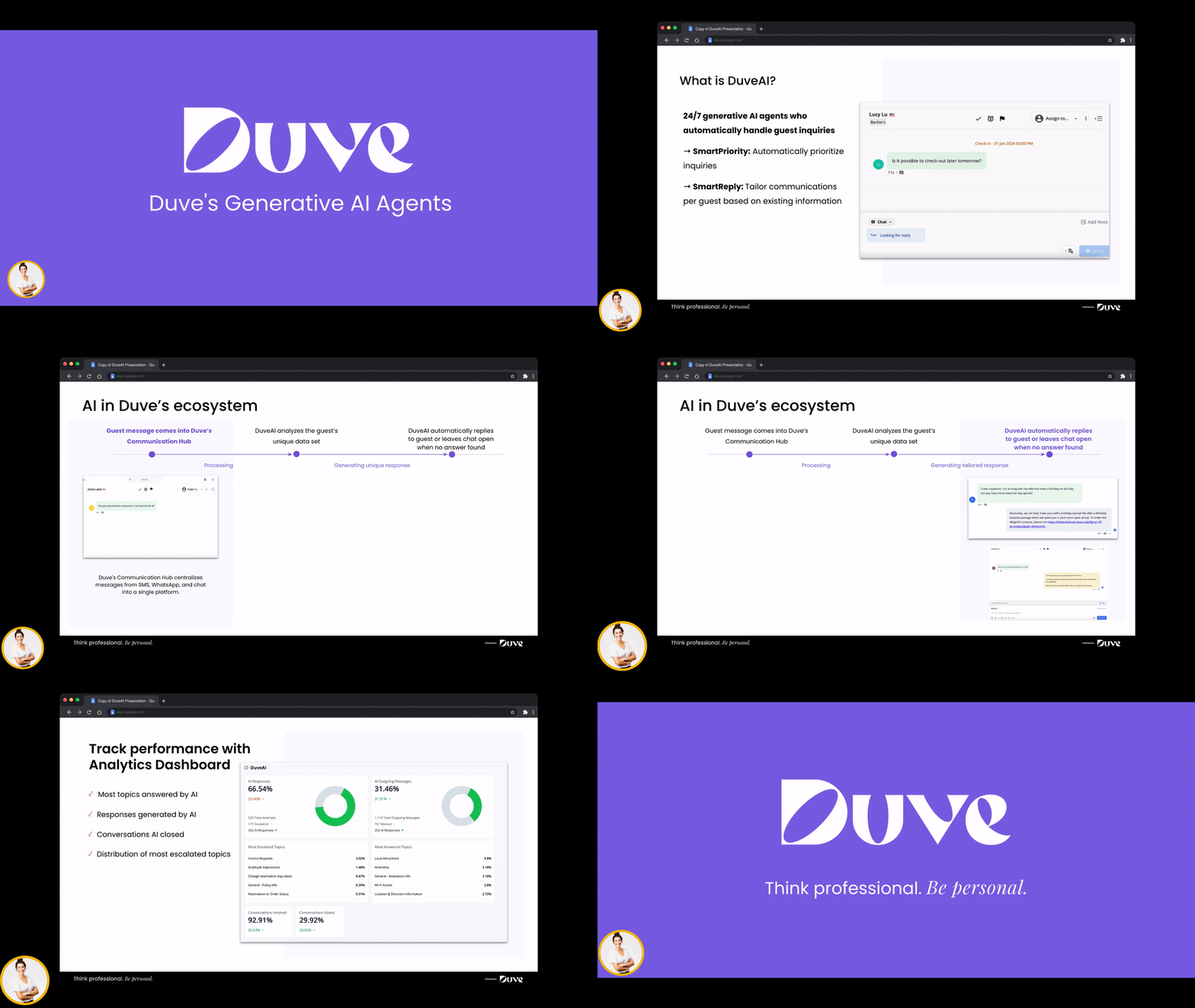
- SmartReply answers guest messages, either as drafts your team sends or automatically end-to-end.
- SmartPriority reads every incoming message and flags the conversations that need attention first.
- The Booking Agent answers people who do not have a reservation yet, searching real availability and presenting rooms with prices.
- AI Knowledge Sources is where you manage what the AI actually knows about your property.
- The AI Weekly Report summarizes what your guests wrote about each week. - Coming soon!
- Host-side AI tools help your own team, including polishing a message before you send it.
Applies to:Accounts with DuveAI on their plan. Without it, the DuveAI page shows an upgrade banner with a Contact us link instead of the settings. The individual capabilities are licensed separately, so your account may have some and not others.
If you work with brands, each brand can override the account's DuveAI settings and run its own configuration.
Pricing:DuveAI is a paid addition to your Duve subscription, with the capabilities licensed separately. Usage is also billed on top of the subscription. For current pricing, contact Duve Support or your Customer Success Manager.
|
Use cases
- Cover the hours you do not staff. Overnight and weekend messages get answered instead of waiting for the morning shift.
- Take the repetitive questions off your team. WiFi, check-in times, parking, and breakfast hours are answered from your own content.
- See what is urgent at a glance. A flagged inbox tells your team which conversations to open first.
- Turn website chat into direct bookings. Visitors without a reservation get real rooms and prices with a link into your booking engine.
- Answer in any language. Guests are answered in the language they write in, without your team translating.
- Learn what guests keep asking. The weekly report turns a week of conversations into topics, requests, and complaints.
Before you start
- Confirm which DuveAI capabilities are on your plan.
- Put your knowledge in place first. The AI answers from your Guest app posts, your upsells, your room types, the text sources on the Sources tab, and core account details such as address, phone, check-in and check-out times, WiFi details, and FAQ.
- Decide whether you are configuring the account or a single brand.
- Tell your team that notifications are personal. Turning a feature on does not subscribe anyone to alerts.
How to set it up and use it
Where everything lives
- Settings > DuveAI > Agents holds SmartReply, SmartPriority, AI Conversation Disclosure, pre-booking replies, the escalation message setting, and Tone of Voice.
- Settings > DuveAI > Sources holds your AI knowledge sources.
- Settings > Connections > Booking Engines is where you connect a booking engine for the Booking Agent.
- Settings > Communication > Basic holds the AI Weekly Report. - Coming soon!
- Your profile > Notification Center is where each user picks their own AI alerts.
A recommended order
- Start with your knowledge: Open the Sources tab and check that what the AI can read matches what your team would actually tell a guest. Add text sources for anything true but not published in the Guest app.
- Turn on SmartReply in Suggestion Mode: The AI drafts a reply to every incoming message and your team reviews, edits, and sends. Nothing reaches a guest without a person approving it. Reading a week of drafts is the fastest way to find the gaps in your knowledge.
- Turn on SmartPriority: It is independent of SmartReply and starts flagging conversations immediately. Have each team member set their own notification levels.
- Move SmartReply to Auto Answer when you are comfortable: You can hold back specific segments with Exception Rules, so VIPs or a particular booking source keep a human in the loop.
- Add the Booking Agent if you sell direct: Connect a booking engine first, then enable pre-booking replies.
- Switch on the AI Weekly Report: Add recipients, and it starts arriving. - Coming soon!
AI Conversation Disclosure
The AI Conversation Disclosure setting controls whether DuveAI tells guests that they are chatting with a digital assistant. When the setting is on, DuveAI sends a short disclosure message before its first reply in a conversation. When it is off, no disclosure message is sent, and the AI replies as usual.
Setup notes:
- The setting is off by default on all existing and new accounts. If you want guests to receive the disclosure, you need to turn it on.
- If you manage brands and want a specific brand to differ from the account, that brand needs "Override AI settings" enabled first. Without it, the brand follows the company-level value.
-
When the disclosure is sent, it appears in the Communication Hub as a message from your property, directly above the AI's answer, so your team sees exactly what the guest saw.
Turning the setting off does not remove disclosure messages that were already sent in past conversations. - When the setting is on, the guest receives this message before the AI's first reply: "Hi, you're chatting with a digital assistant who's here to help. You can ask to speak with a human representative at any time."
-
Other behavior guests will notice:
- The message is translated into the language the guest is writing in. If that language is not supported, it is sent in English.
- It arrives as its own message, just before the AI's answer, not appended to the answer text.
- It is sent once per conversation, not before every reply.
-
If the guest returns after 6 hours or more with no messages in the chat, the disclosure is sent again at the start of that new session.
When the setting is off, guests receive the AI's answers with no disclosure message. Nothing else about the conversation changes.
Tone of Voice
- Professional and Formal, precise and courteous, and it avoids contractions
- Friendly and Conversational, warm and approachable
- Elegant and Discreet, refined and descriptive
- Hip and Trendy, casual, upbeat, and modern
The escalation message
Brand-level settings
Host experience
- AI drafts, AI-sent replies, and priority flags all appear in the Communication Hub alongside your team's own messages.
- Each AI answer records which of your sources it used, so you can see what a reply was based on.
- AI answers and priority decisions both carry a thumbs up and thumbs down. Feedback goes to the Duve team to improve the product. It does not retrain the AI on your account, so to change behavior, you update your knowledge sources.
- When the AI hands over, the conversation is flagged with a reason recorded.
- A manual reply from your team always takes precedence over a queued AI reply.
Guest experience
- Guests are answered in the language of their latest message.
- The tone is a warm, concise concierge: it acknowledges the question, then answers it, usually in a sentence or two, with bullets for multi-part questions.
- Guests are told once per session that they are talking to a digital assistant and can ask for a person at any time. This message cannot be edited or turned off.
- The AI never claims to have done something it cannot do. It points guests at self-service links and offers to check on anything that needs a person.
- It hands over to your team rather than guessing whenever it cannot answer confidently, and always for complaints, booking changes, emergencies, billing disputes, and any message with an attachment.
Troubleshooting
- The AI is not replying at all: Check the SmartReply mode first, and check whether the conversation is assigned to a person or a team, which takes it away from the AI.
- The AI escalated instead of answering: Usually, no source in your knowledge explicitly covers what the guest asked. Related is not enough, so a source about parking will not answer a question about bicycles.
- A guest question was answered wrongly: That is a knowledge problem, not a settings problem. Correct the source, then retest.
- Nothing is flagged as urgent: Check that SmartPriority is enabled and that each user has set their own notification levels.
- A brand behaves differently from the rest of the account: Check the override switches on that brand's DuveAI page, remembering that Agents and Sources have separate ones.
- The page shows an upgrade banner: DuveAI is not active on the account. Contact Duve Support.
Restrictions and limitations
- DuveAI answers only from your own content. It will not fill a gap with general knowledge about hotels, and it never tells a guest that information is missing; it offers to check instead.
- It answers only about the stay, the property, and the surrounding area.
- It cannot create, change, or cancel a reservation, and it never takes payment.
- Tone of Voice is not editable by hosts.
- Notification preferences are per user and cannot be set centrally for a team.
- Some capabilities depend on others: the Booking Agent needs a connected booking engine, and both it and the escalation setting sit inside the SmartReply settings.
- The AI Conversation Disclosure message content is fixed and cannot be edited or replaced with your own wording. Even with the setting on, the disclosure is not sent in these cases:
- Copilot mode is on, because AI replies become internal drafts for your team rather than messages to the guest.
- An AI exception rule is active on the conversation, for the same reason.
- The AI decides not to reply to a message, so the guest sees nothing.
- The conversation is escalated to your team, and guest escalation messages are turned off, because the guest receives no message for that turn.
Tips and tricks
- Fix the knowledge before you change the settings: Most complaints about AI answer quality are content problems wearing a settings costume.
- Read a week of Suggestion Mode drafts before going to Auto Answer: It is the cheapest quality assurance available.
- Use the thumbs down with a comment: The comment is what makes the feedback usable.
- Roll out Auto Answer one segment at a time using Exception Rules, and remove the rules as your confidence grows.
- Keep guest-visible information in Guest app posts, where guests can also read it themselves, and reserve text sources for knowledge that should not be published.
FAQs
Related articles:
Comments
0 comments
Article is closed for comments.