
In order to start using the SMS by Duve, see our SMS and WhatsApp Pricing and opt-in via our Billing page.
How to Start using SMS by Duve
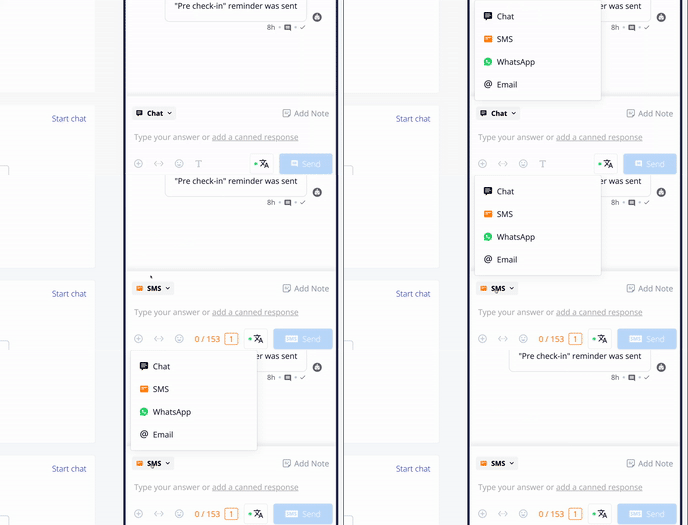 |
General SMS information
- Each SMS segment includes 153 GSM-7 characters (Latin characters) or 67 UCS-2 characters (other characters and special symbols)
- After enabling the SMSs by Duve, your guests will also be able to reply directly to your messages. Please pay attention the pricing also includes SMSs you receive from your guests.
-
You can find the SMSs by Duve full pricing by clicking here.
Please be aware that the pricing is determined by the guests’ carrier.
Troubleshooting:
If you send an SMS message through the guest chat, the guest can reply to you through an SMS that will arrive in the unified guest chat.
An SMS message can fail for several reasons, here are the main reasons –
- The guest reservation doesn’t include a phone number
- The guest reservation includes a not valid phone number.
- The guest phone number is not a mobile phone number and doesn’t support SMS messages.
For these reasons, you will be notified immediately the message can’t be sent, and there will be no charge for the message.
There are other failure reasons that can occur depending on the guest carrier, after our system already processed the sending of the message. You will receive a notice about that in the Duve chat in a few seconds. These messages are charged.
Comments
0 comments
Please sign in to leave a comment.